By: Contessa Olibamoyo
It’s not the newest tool. It’s not the most niche. But when I need something fast, polished, and ready to pitch, I open Canva. Whether I’m building a pitch deck, refreshing a press kit, or creating assets for a campaign launch, Canva delivers. And it’s free.
For publicists juggling brand storytelling, content creation, and media readiness, it’s the kind of baseline platform that can save time and raise the bar.
What It Does
Canva is a browser-based design platform designed for individuals who need professional-looking visuals without the need for time-consuming design software. You can start from scratch or remix thousands of templates. Either way, your content ends up on-brand, on-message and client-ready.
You can:
- Lock in brand fonts and colors
- Upload logos or product shots
- Collaborate live with clients or team members
- Export to PDF, PNG, or MP4 in seconds
- Present directly in browser (ideal for decks that get approved last minute)
You can also download the Canva app for free, available on both web and mobile, to design wherever you are working.
Why It Works for PR
Design is not a bonus. It is part of the pitch. A clean deck can sell a story. A branded one-sheet can get picked up. Canva gives you control of both the message and the medium.
As Scooter Media put it, Canva “helps social posts stand out without hiring a full-time designer.” For solo practitioners and small teams, that kind of speed is everything.
And according to Perry Publications, it gives PR pros a way to create “stunning, on-brand visuals quickly and effectively.” In other words, it helps you look like you had more time than you did.
PR Week covered Canva’s recent brand campaign, which focuses on removing creative barriers for teams that need to move fast. That is exactly what public relations demands.
What You Get for Free
The free version covers:
- Thousands of drag-and-drop templates
- Real-time collaboration
- Access to Canva’s font, icon, and image libraries
- Presentation and video tools
- Brand Kit basics (colors, logos, etc.)
Paid plans offer tools like Magic Resize and Background Remover, but unless you’re juggling multiple brands or complex social schedules, the free plan does the job.
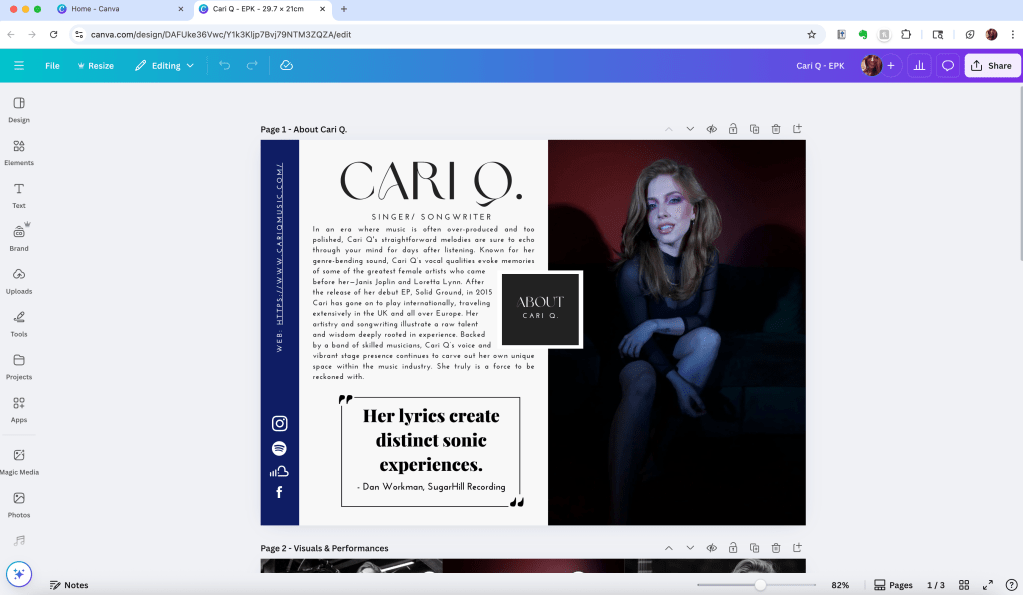
Screenshot of Canva’s desktop editor mid-design on a visual press kit layout. Captured by Contessa Olibamoyo.
What to Watch
Canva’s popularity is also its weak spot. You’ll start to recognize templates. Others will too. If you don’t customize, your content may blend into the scroll. The fix is simple. Bring in your own fonts, use original photography and graphics, and play with the layout. You don’t have to overdesign. Just make it yours.
Use Desktop. Skip Mobile (Unless You’re in a Pinch)
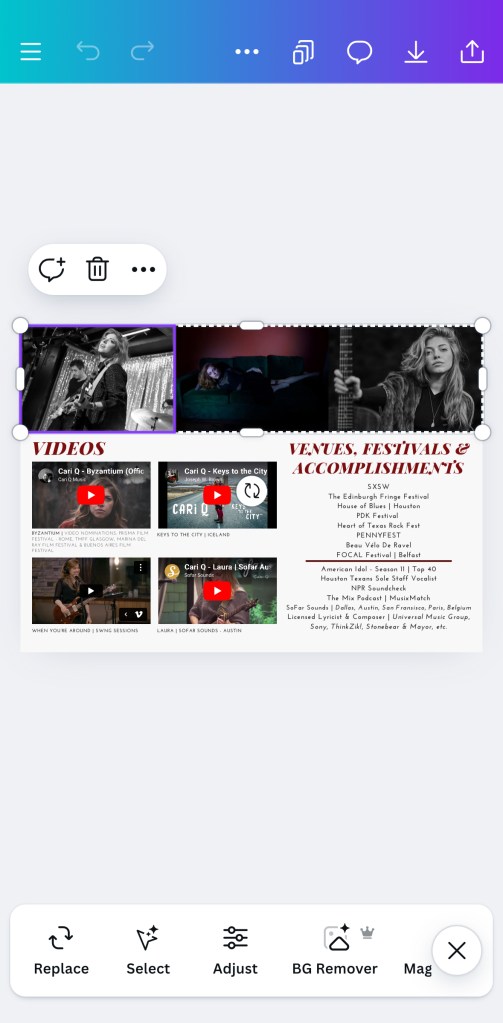
The mobile app works, but it is not ideal for complex builds. It is best for quick edits, easy uploads, and last-minute tweaks. But when layout, spacing, and multiple layers matter, the desktop version wins every time.
Screenshot of Canva’s mobile editor used during a quick press kit update.
Captured by Contessa Olibamoyo.
Final Word
Canva isn’t about showing off. It’s about showing up. It helps you translate ideas into visuals quickly and makes sure the final product holds up in front of clients, reporters, and anyone else you’re trying to impress.
Don’t play yourself by making decks the hard way. You’ll have plenty of time to overcomplicate things when the next crisis hits. 😅
PR moves fast. Canva keeps up. This is the one bandwagon that won’t make you cringe later.
 Quote Me Later
Leave a comment